- Language
- JavaScript
- Last commit
- 2h ago
- Forks
- 48
- Open issues
- 5
- Registry update
- Oct 14, 2026
Connect
npm$claude mcp add smart-drawio \ -e SMART_DRAWIO_PROVIDER=<smart-drawio-provider> \ -e SMART_DRAWIO_BASE_URL=<smart-drawio-base-url> \ -e SMART_DRAWIO_API_KEY=<smart-drawio-api-key> \ -e SMART_DRAWIO_MODEL=<smart-drawio-model> \ -- npx -y @yunshenwuchuxun/[email protected]
Environment variables
SMART_DRAWIO_PROVIDERopenai or anthropic; required only for model generation
SMART_DRAWIO_BASE_URLModel provider HTTP(S) base URL; required only for model generation
SMART_DRAWIO_API_KEYsecretYour model provider API key; required only for model generation
SMART_DRAWIO_MODELModel identifier; required only for model generation
Security review
Review passedReviewed 46m ago.
- metadata
- scanned
- packages
- 1 checked
No findings.
Tools
This server runs on your machine, so its tool list is not fetched before install — the README below describes what it offers.
Smart Drawio Next
Generate editable Draw.io diagrams from natural language or reference images in seconds, optimized for research, documentation, and presentations.
Live Demo
- Demo: https://smart-drawio-next.vercel.app/
- Note: the hosted version requires your own API key
Gallery
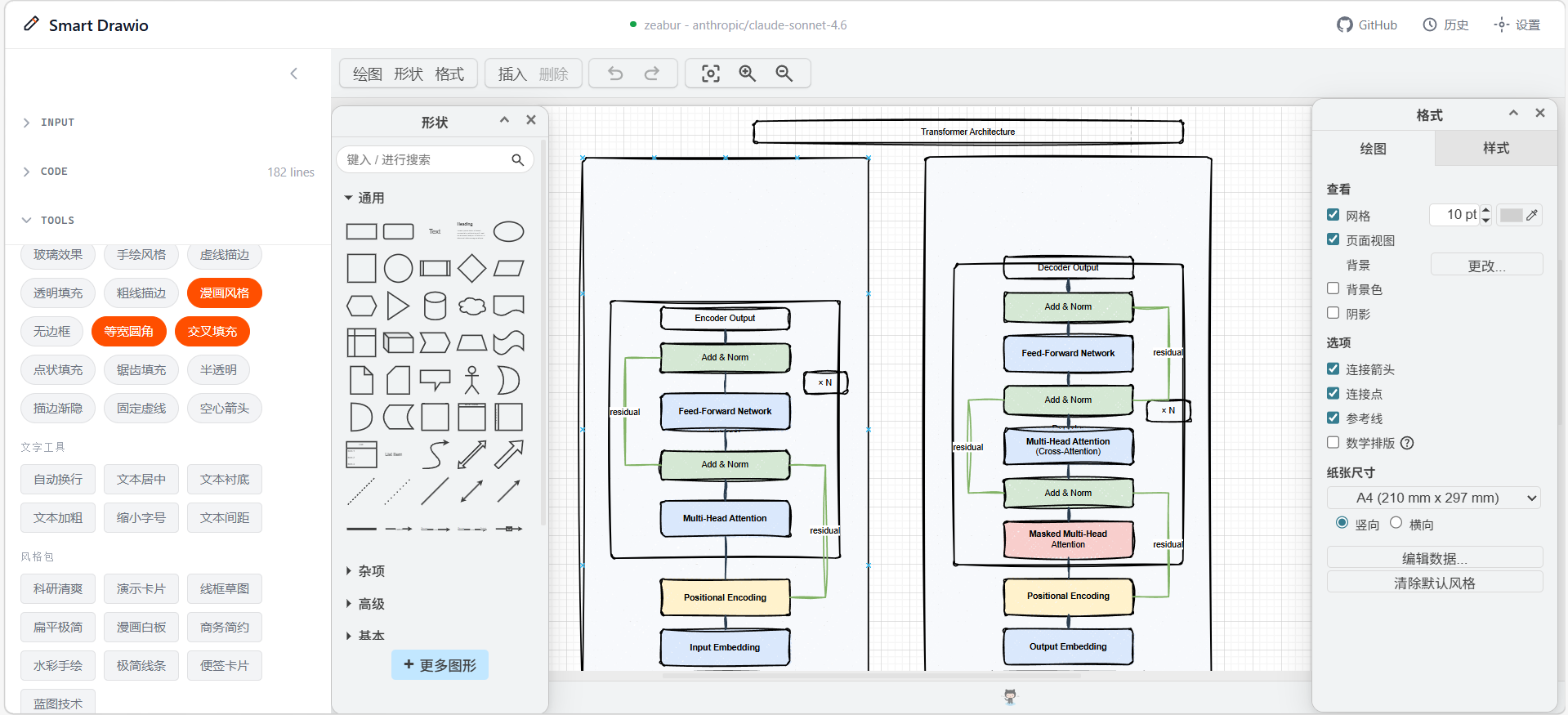
| Home | Transformer |
|---|---|
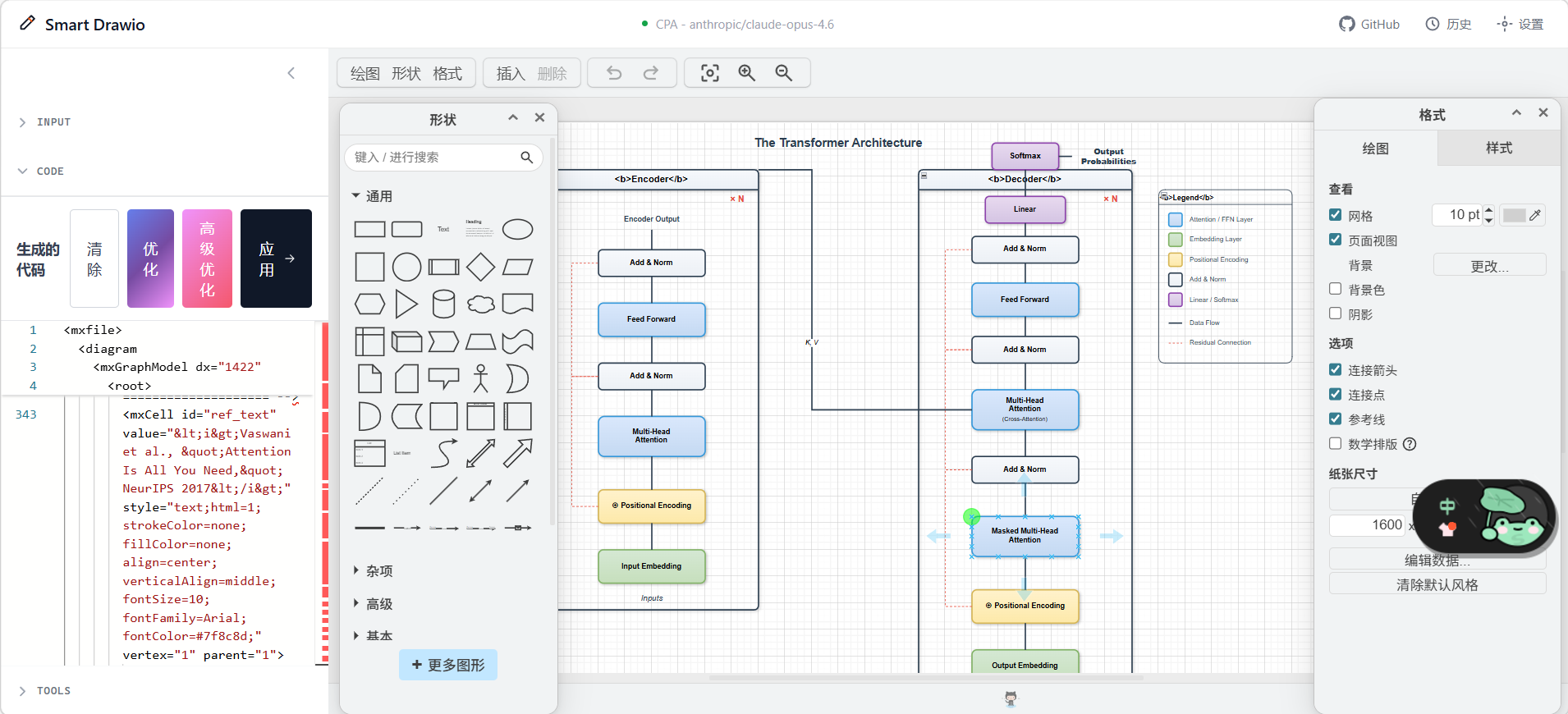 | 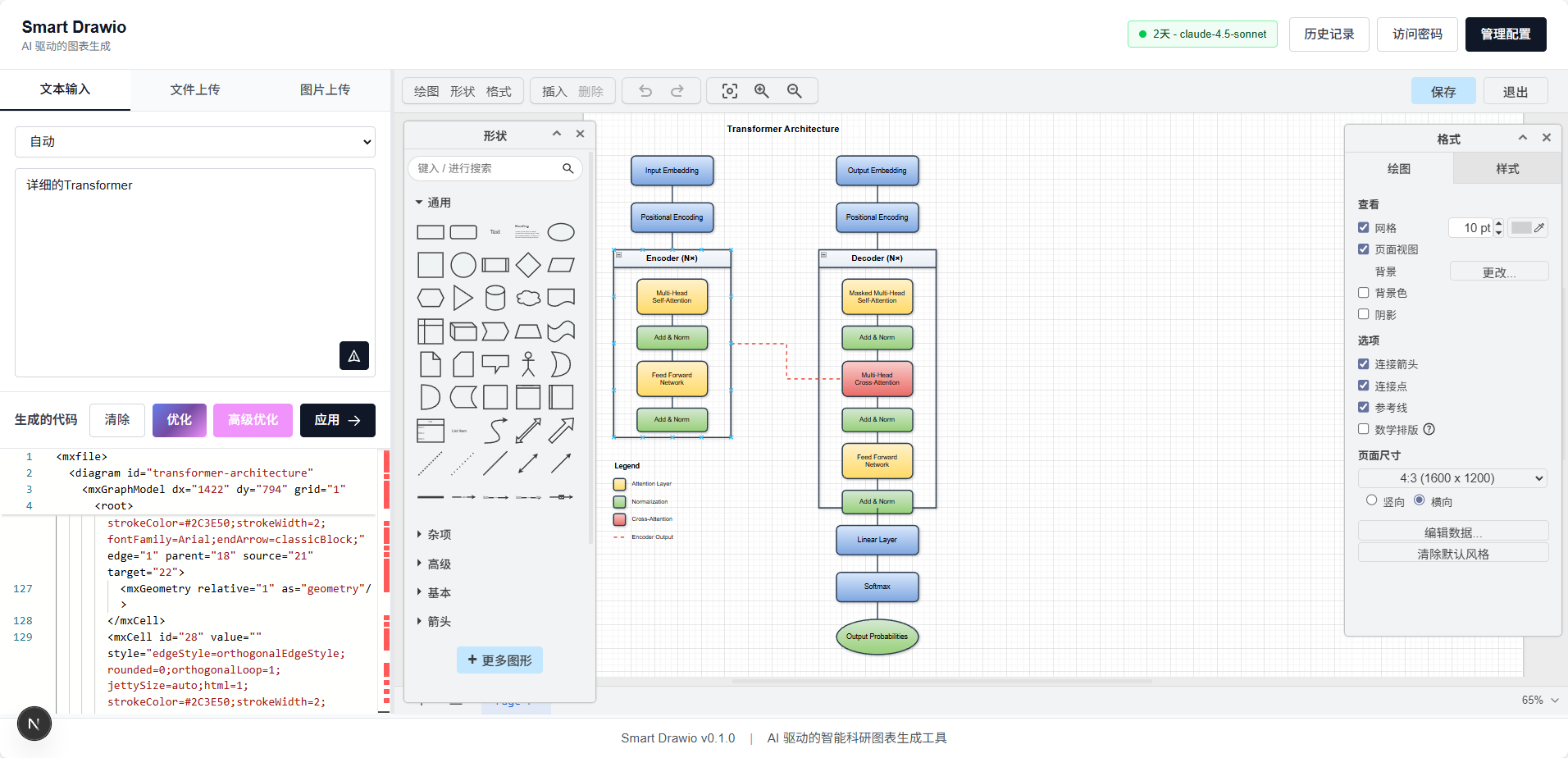 |
| Swin-Transformer | CLIP |
|---|---|
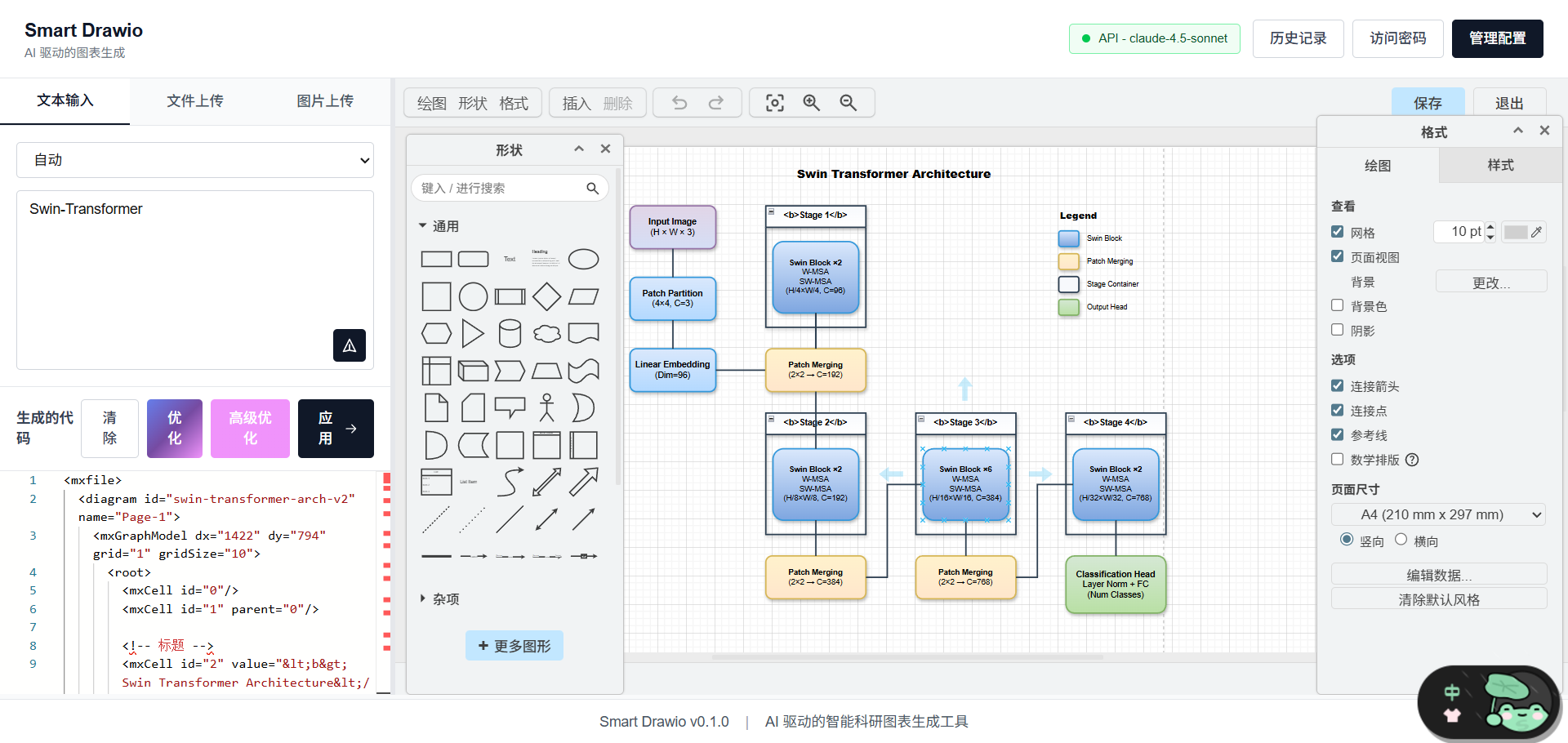 | 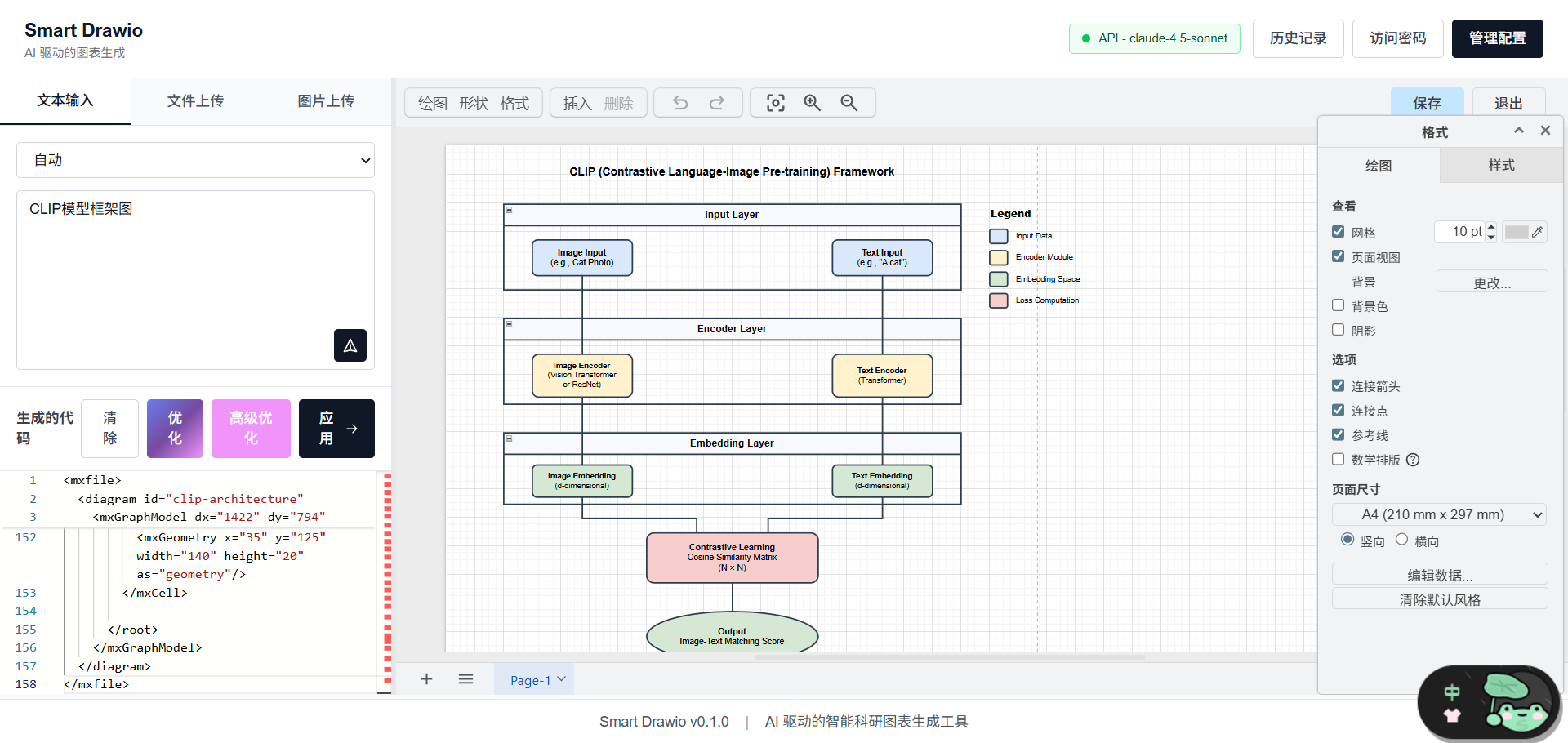 |
ProSST
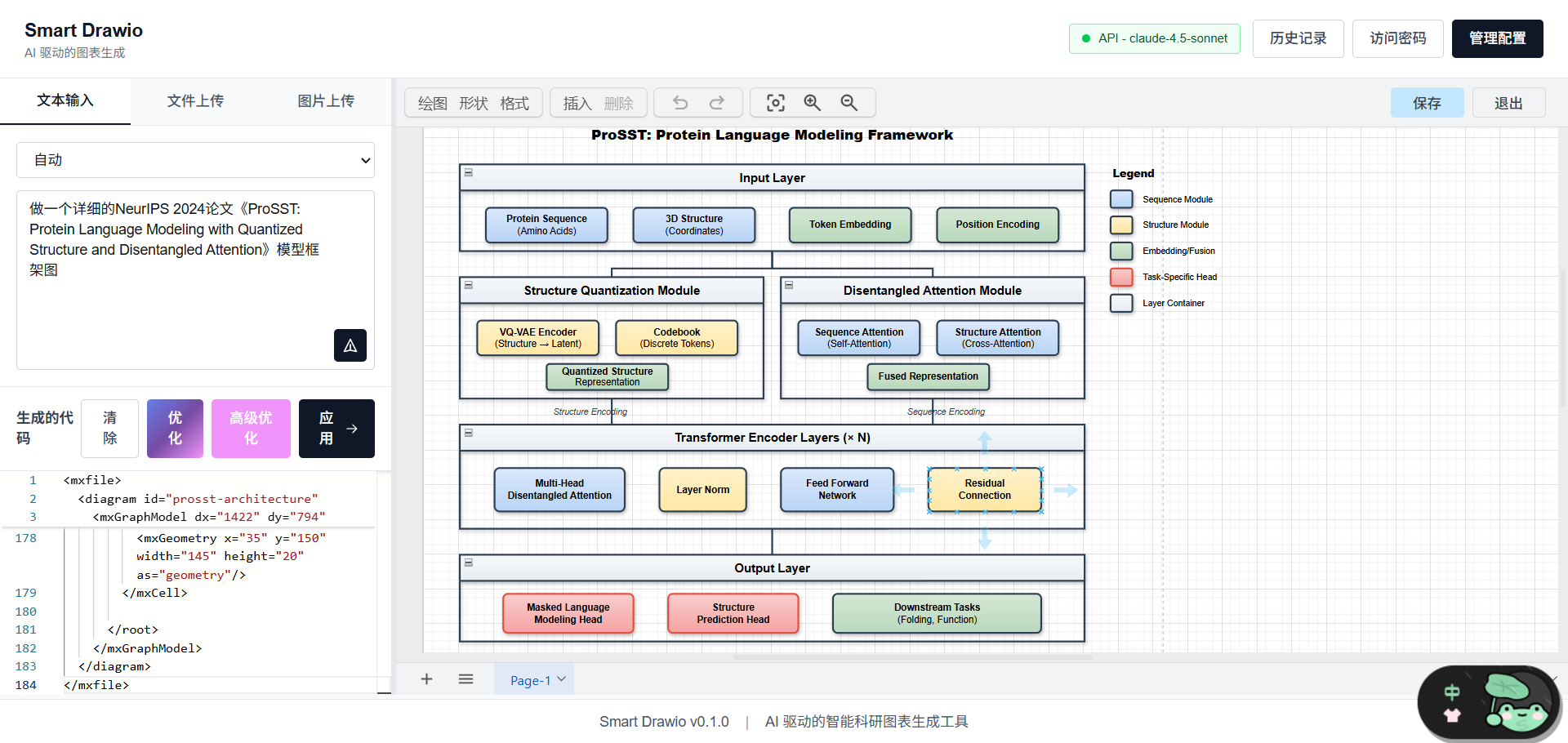
Overview
smart-drawio-next is a diagram generation tool built with Next.js 16, embedded Draw.io, and streaming LLM APIs. It helps you:
- Generate structured diagrams from natural language prompts
- Upload reference images and convert them into editable diagram content
- Fine-tune XML / JSON in Monaco Editor
- Sync output directly into an embedded Draw.io canvas
- Use post-processing tools to improve layout, connectors, styles, and annotations
The project includes multi-model configuration, access-password mode, generation history, and notifications. It can be deployed as a personal tool or an internal team service.
Core Features
- Streaming generation with support for continuing truncated outputs
- Multimodal input with both text and image-based workflows
- Code + canvas workflow for editing XML and previewing the result side by side
- Post-processing toolchain for structure, text, connector, and style refinement
- Multi-provider config management for OpenAI / Anthropic-compatible APIs
- Local history with replay support for recent generations
Supported Diagram Types
The app supports 20+ diagram types. You can choose one explicitly or let the model decide:
- Flowchart
- Mind Map
- Org Chart
- Sequence Diagram
- UML Class Diagram
- ER Diagram
- Gantt Chart
- Timeline
- Tree
- Network Topology
- Architecture Diagram
- Data Flow Diagram
- State Diagram
- Swimlane Diagram
- Concept Map
- Fishbone Diagram
- SWOT Analysis
- Pyramid Diagram
- Funnel Diagram
- Venn Diagram
- Matrix Diagram
- Infographic
Built-in Themes
10 built-in color themes are available:
- Research
- Business
- Warm
- Cool
- Dark
- Contrast
- Pastel
- Forest
- Violet
- Neutral
Tools System
After generation, you can continue refining the diagram in the sidebar tools panel. All operations are XML-based transforms.
Drawing Tricks
Used for bulk layout and connector refinement:
- Grid Snap
- Orthogonal Routing
- Curved Routing
- Label Background
- Consistent Spacing
- Jump Crossings
- Rounded Edges
- Normalize Arrows
- Remove Waypoints
Style Presets
Used for stackable visual effects:
- Shadow
- Gradient
- Rounded
- Glass
- Sketch
- Comic
- Dashed
- Transparent
- Bold Stroke
- No Stroke
- Absolute Arc
- Cross-Hatch
- Dot Fill
- Zigzag Fill
- Semi-Opaque
- Fade Stroke
- Fixed Dash
- Open Arrow
Style Packs
Used for one-click full visual styles:
- Research Clean
- Presentation Cards
- Business Clean
- Flat Minimal
- Wireframe
- Comic Whiteboard
- Watercolor Sketch
- Minimal Outline
- Sticky Notes
- Blueprint Tech
Text Tools
Used for batch text formatting:
- Wrap Labels
- Center Text
- Text Panels
- Bold Text
- Compact Text
- Text Padding
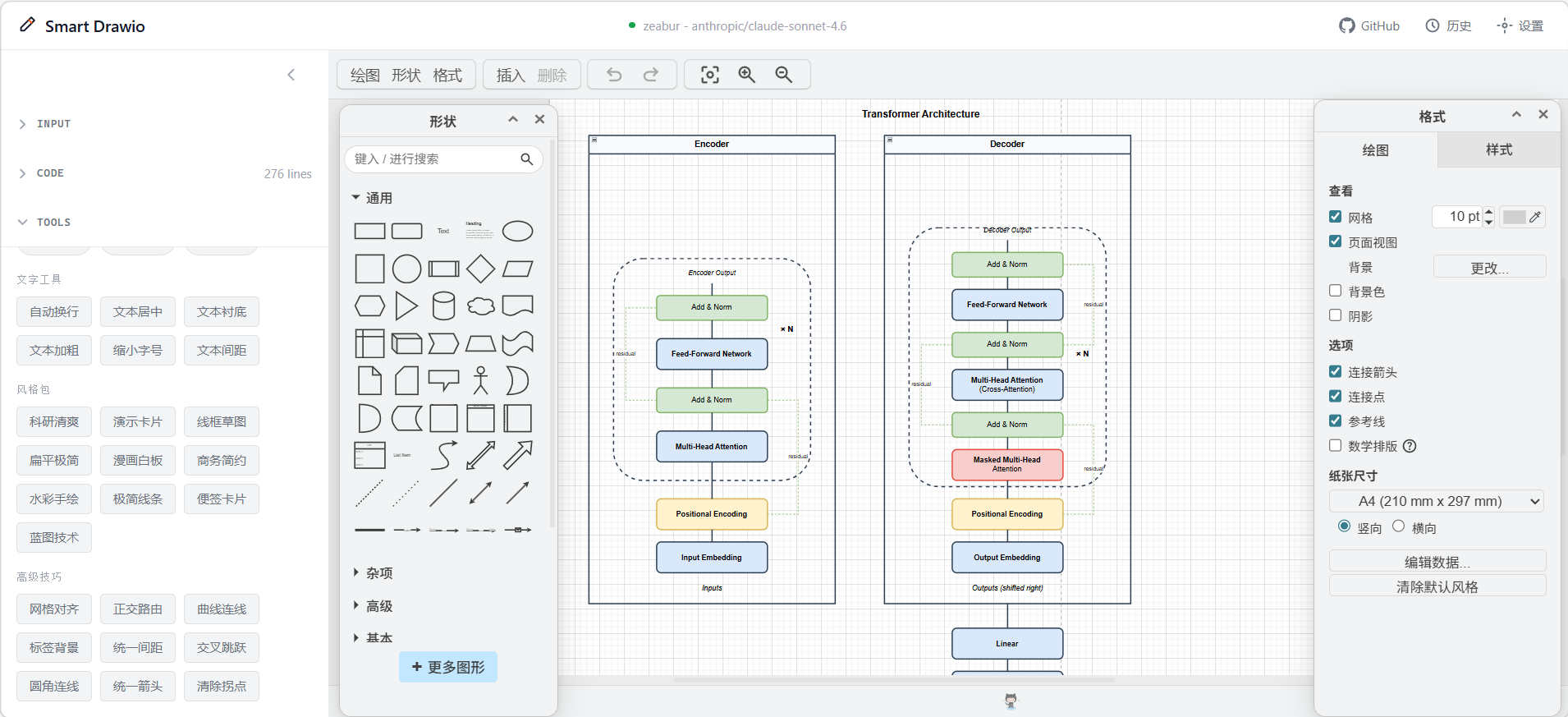
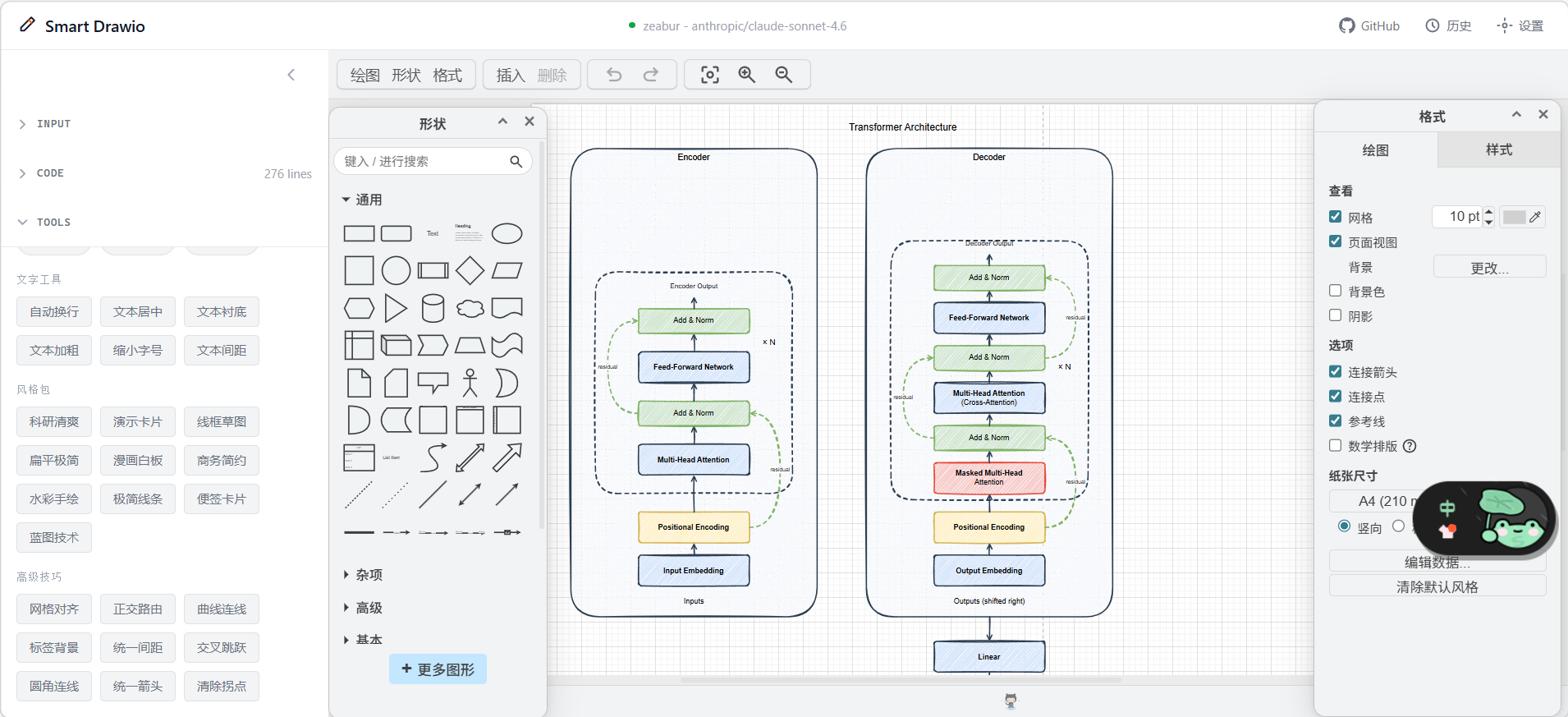
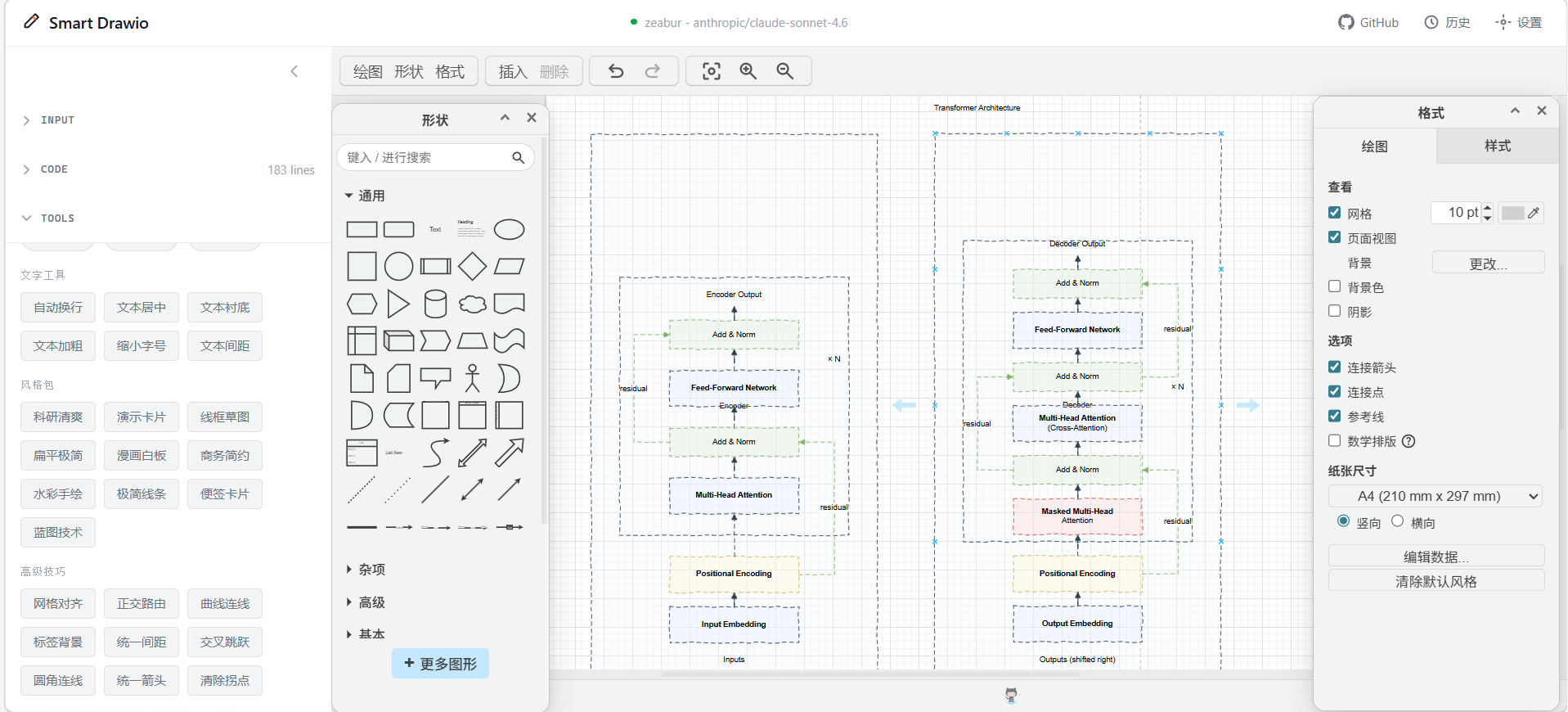
Tools System Examples
| Baseline: no style | Preset: comic + cross-hatch |
|---|---|
 |  |
| Style pack: blueprint tech | Style pack: business clean |
|---|---|
 |  |
UI Structure
-
Input Area (Chat + ImageUpload)
- Enter prompts
- Upload reference images
- Stop or continue generation
-
Code Editor
- View and edit XML / JSON
- Run clear, optimize, advanced optimize, and apply actions
-
Canvas
- Render the generated result
- Continue editing visually in Draw.io
-
Support Modals
ConfigManagerAccessPasswordModalHistoryModalOptimizationPanel- Other supporting panels
Tech Stack
- Framework: Next.js 16 (App Router) + React 19
- Canvas: Draw.io embed
- Editor:
@monaco-editor/react - Styling: Tailwind CSS v4
- LLM Integration: OpenAI / Anthropic-compatible APIs with SSE streaming
- Persistence: localStorage
Getting Started
Requirements
- Node.js >= 18.18
- pnpm >= 8
- An available OpenAI / Anthropic-compatible API key
Install and Run
git clone https://github.com/yunshenwuchuxun/smart-drawio-next.git
cd smart-drawio-next
pnpm install
pnpm dev
Then open: http://localhost:3000
Common Commands
| Command | Description |
|---|---|
pnpm dev | Start development server |
pnpm build | Build for production |
pnpm start | Start production server |
pnpm lint | Run ESLint |
pnpm test -- run | Run unit tests |
Docker Deployment
Requirements
- Docker >= 20.10
- Docker Compose V2
Quick Start
docker compose up -d --build
Then open: http://localhost:3000
The image uses a multi-stage build and Next.js standalone output for deployment-friendly packaging.
Optional Server-Side LLM Config
If you want multiple users to share one server-side configuration, set these in docker-compose.yml:
services:
  app:
    environment:
      - ACCESS_PASSWORD=your-secure-password
      - SERVER_LLM_TYPE=openai
      - SERVER_LLM_BASE_URL=https://api.openai.com/v1
      - SERVER_LLM_API_KEY=sk-xxx
      - SERVER_LLM_MODEL=gpt-4
You can also use a .env file based on .env.example.
Proxy and Local Model Setup
If Docker needs a proxy or access to a model running on the host machine:
cp docker-compose.override.example.yml docker-compose.override.yml
Edit it for your environment, then restart:
docker compose up -d --build
Typical use cases:
- Routing traffic through a host proxy
- Accessing host-local Ollama or LM Studio
- Mounting a custom CA certificate for enterprise proxies
Common Docker Commands
docker compose logs -f app
docker compose down
docker compose up -d --build
docker compose ps
LLM Configuration
Client-Side Config Mode
By default, users configure these in the UI:
- Provider
- Base URL
- API Key
- Model
All values are stored in browser localStorage only.
Server-Side Access Password Mode
If you want the API key to stay on the server:
- Copy the example file:
cp .env.example .env
- Set these variables:
ACCESS_PASSWORDSERVER_LLM_TYPESERVER_LLM_BASE_URLSERVER_LLM_API_KEYSERVER_LLM_MODEL
- Restart the service, then users can enable the server-side config through the access password flow.
FAQ
Will my API key be uploaded to a third party?
No. Local configuration stays in the browser. Requests first go to your own server, which then calls the external model provider.
What if the output is truncated?
The UI provides a continue-generation action automatically when needed.
What if image recognition fails?
Use a vision-capable model and make sure the image format and size are valid.
Will history grow without limit?
No. The app keeps only the most recent 20 entries by default.
Credits and Contributing
- This project is based on smart-excalidraw-next
- If it helps you, consider:
- Giving the repo a star
- Sharing it with others
License
MIT
From the server's repository — third-party content, read it before running anything it suggests.
More in Utilities
Fair Value MCP Server
com.ascent-partners
Valuation MCP: DCF/NAV/CCA, WACC, derivatives, credit risk, fixed income, structured products.
StringLane
io.github.thebedcoder
Check, translate and fix app localization files — ARB, iOS strings, Android XML, i18next JSON.
In Da Mix
com.divingtechnics.indamixapp
Gas blending calculator for scuba divers: nitrox, trimix, heliair, heliox, MOD, best mix and fills.
HanoLab Voice Conversion
io.github.obrr-hhx
Convert uploaded speech or singing with your saved HanoLab voices, using OAuth and credit quotes.
jDocmunch MCP
io.github.jgravelle
Section-level doc search for .md, .rst, .adoc, .ipynb, .html, .yaml, .json, and OpenAPI specs.
ieUnit – neutral value reference unit
org.ieunit
Neutral value reference unit: live value, history, conversion and methodology.
Listing from the official MCP Registry · repository facts from GitHub, 49m ago.